Tuesday, January 21, 2020
1 change · master
Enhancements to existing features
Swiss invoicing now supports version 2 of the QR Invoice standard planned for 2020. This improves payment accuracy by using the correct invoice payment reference and supporting QR-IBANs required for QR reference payments.
Original PR description
- [x] Depends on #35873 - [ ] for tests fixing depends on #35979 [this needs rebase] ## Description of the issue/feature this PR addresses: The QR-Invoice is planned to land in June 2020. (as it was…
- [x] Depends on #35873 - [ ] for tests fixing depends on #35979 [this needs rebase] ## Description of the issue/feature this PR addresses: The QR-Invoice is planned to land in June 2020. (as it was delayed) Since it was developed [IMP] l10n_ch: Swiss QR Invoice version 0200 Swiss QR Invoice with QR Reference (QRR) needs a special IBAN named QR-IBAN. A QRR is exactly the same as an ISR Reference. * Add a new res.partner.bank type `qr-iban` * Fix Reference on QR-invoice which was subscription number instead of QRR * Move QR code logic for report on invoice instead of res.partner.bank * Change addresses to "K", combined, in order to not have to split the building number from the addresses * Upgrade QR-Invoice to 0200 reminder: *to activate Swiss QR-code add the system parameter* **l10n_ch.print_qrcode** https://www.paymentstandards.ch/dam/downloads/ig-qr-bill-en.pdf ## Current behaviour before PR: The version was still version 1. The reference used was a the subscription number (previously badly named ISR reference on the bank). ## Desired behaviour after PR is merged: Version 2 of QR-Invoice specs. The reference on the invoice QR must be a Payment Reference in our case the ISR reference which is computed on the invoice (`l10n_ch_isr_number`) ### Current output with fixed reference 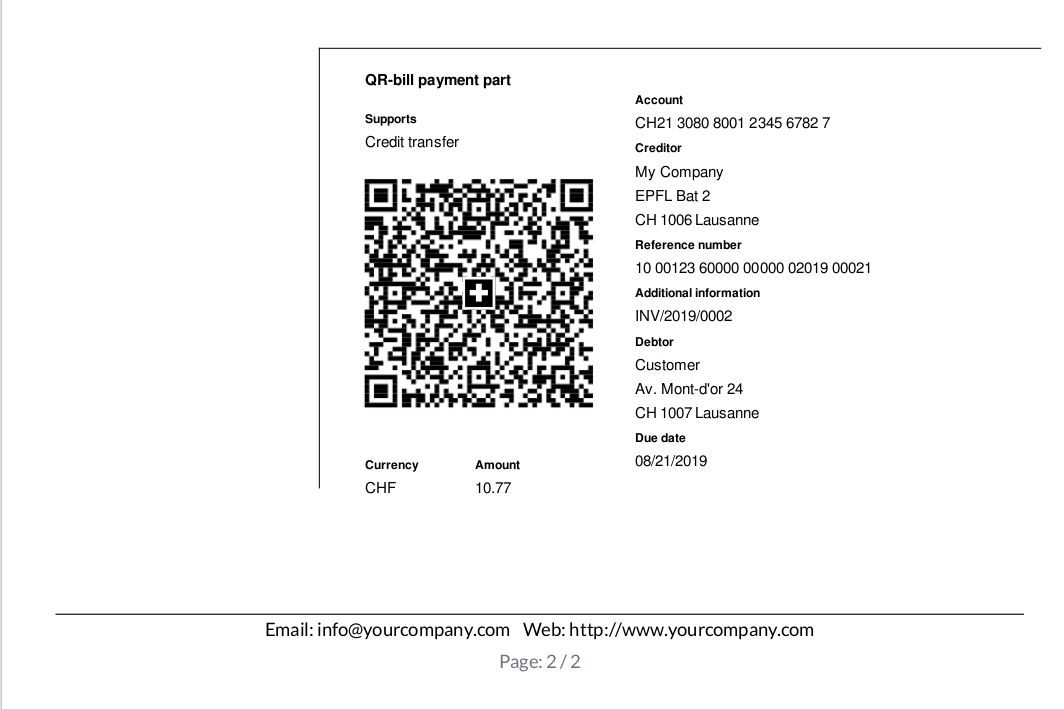 To be done later, add the optional bill information from Swico standards. Be able to print a QR code with the ISR reference of the invoice (account.move). -- I confirm I have signed the CLA and read the PR guidelines at www.odoo.com/submit-pr