Friday, September 24, 2021
4 changes · master
Enhancements to existing features
Website visitors can now view all events in one place, making it easier to find events even when they are unsure whether an event is upcoming or already finished. The Contact Us form wording was also made more direct and engaging to encourage customer interaction.
Original PR description
- added the 'All events' filter in the website event page.
- improved contact us form

Task: https://www.odoo.com/web#id=2581308&action=4043&model=project.task&view_type=form&cids=2&menu_id=4720
CRM forecast filters can now work directly from the filter settings instead of relying on extra action-level setup. This makes forecast views easier to configure and maintain while keeping the visible forecasting behavior consistent for users.
Original PR description
The forecast filter is a feature that allows to generate a date domain from values extracted from the current groupby fields. The purpose of this change is twofold: - remove the dependency on the…
The forecast filter is a feature that allows to generate a date domain from
values extracted from the current groupby fields.

The purpose of this change is twofold:
  - remove the dependency on the context of the action:
    - the context key forecast_field should be instead directly defined in the
      context of the filter and will be sufficient in itself for the filter to
      work as intended.
    - we no longer require an additional context key (forecast_filter)
  - remove the fields added to the state of the model_extension (old version)
    and the search_model (new version)
    - the only useful information was the forecastStart, and it should be
      computed each time the modified domain is requested, therefore it is
      not really correct to store it as a state property (no need to
      import/export, ...).

REM: the context key forecast_field may still be required in the action context
  as it is used by the fillTemporalService and the forecast views, but is not
  required there if only the filter feature is needed.


--
I confirm I have signed the CLA and read the PR guidelines at www.odoo.com/submit-prThe test system can now automatically retry failed tests in staging environments to reduce disruption from random, one-off failures. This helps avoid unnecessary delays and manual rework when large batches of changes are being validated, while keeping normal test behavior unchanged.
Original PR description
This pr proposes an auto retry mechanism for tests. This shouldn't impact normal testing: tests are not supposed to fail, but the growing number of tests and pull requests can lead to some bottleneck…
This pr proposes an auto retry mechanism for tests. This shouldn't impact normal testing: tests are not supposed to fail, but the growing number of tests and pull requests can lead to some bottleneck when a staging fails because of a random error. This mechanism should help to reduce splits/the need to retry a failed pr.
This branch have been tested with the nightly multi build, creating 40 identical build without test-tags to disable know random errors. This multi build is used to detect test failing randomly, this is an excellent candidate to detect the effect of the retry.
On average, with the current base of this pull request, there is between 10 en 15 failures over 40 build.
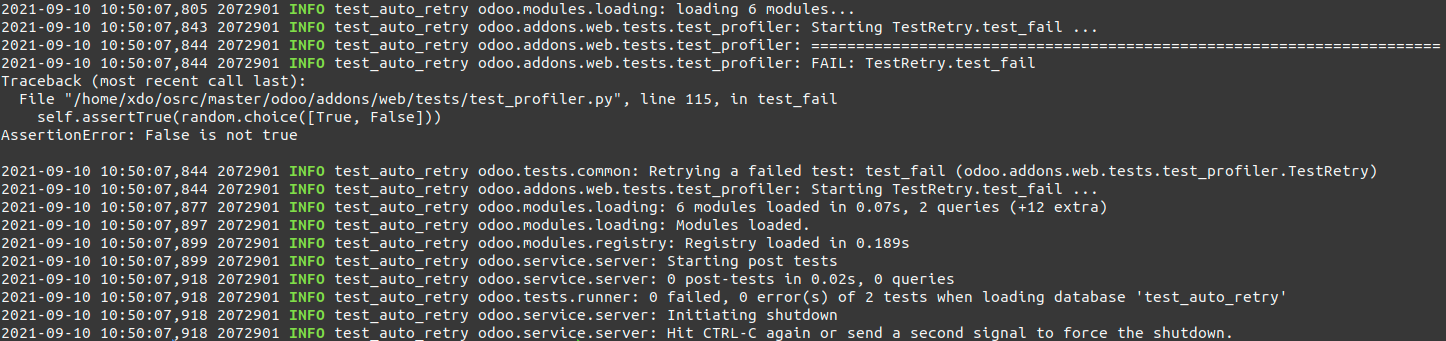
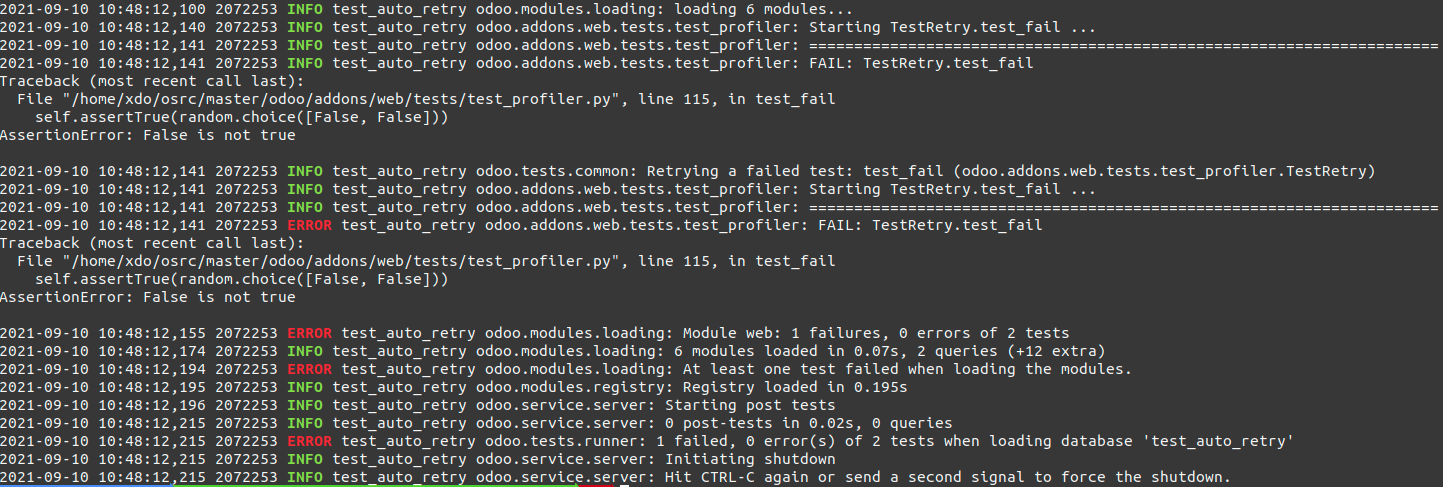
With the auto retry mechanism, only 1 build failed over 40 builds since the same error was triggered twice: https://runbot.odoo.com/runbot/build/9972771. This is simply because with the retry mechanism, an error that has a probability of p to fail randomly will still have a probability of p² to fail with the retry mechanism. A error that occurs 10% of the time should only appear 1% of the time with one retry. In most of the case, the retry is sucessfull: https://runbot.odoo.com/runbot/build/10053257
The current solution to allow to enable this mechanism only in some cases (staging) is to check an environment variable "ODOO_TEST_FAILURE_RETRIES" that defines a number of retry. This will allow to retry more than once if an error still occurs to ofen with the autoretry.
**Random error:**
**Real error:**
The mechanism will run multiple time the same test on the same test_case, meaning that some modification on self may impact the second execution. The following code is an example of how this could be problematic, but also a good example to test the auto-retry mechanism.
```python
class TestRetry(HttpCase):
def test_fail(self):
self.t = getattr(self, 't', 0) + 1
if True or self.t == 1:
import logging
_logger = logging.getLogger('test_a')
with self.assertLogs(level="ERROR"):
_logger.error("This shouldn't be log at all")
with mute_logger('test_a'):
_logger.error("This shouldn't be logged (mute)")
_logger.error("This should be log")
```

As we can see here the error logs are also managed, and emit at a lower level the first time, butany log higher than 25 will make the test "failed" and the autoretry mechanism will be triggered. The second time, everything is logged normally. We also need to replace Traceback by _Traceback to avoid being catched by runbot Traceback detection regexes.
The inspiration here commes from the assertLogs, that replace all handlers. The mute_logger had to be adapted to use the same strategy, so that quite_logger won't detect logs catched by mute_logger or assertLogs.Marketing automation screens are clearer and easier to use, with key fields and SMS counts visible without extra steps. Archived campaigns, empty mailing actions, test participants, and participant selection wording are now handled more intuitively to reduce confusion for users.
Original PR description
- Always displays 'Unicity' field instead of debug mode
- Displays SMS count in automation campaign tree view
- Makes mailing actions invisible if it have zero (mail/sms) count
- Hides the action buttons in campaign if campaign it archived
- Test mode is now indicated with ribbon in participant form view
- Improves wording while picking / creating participant in the wizard

Task- https://www.odoo.com/web#id=2581308&action=4043&model=project.task&view_type=form&cids=2&menu_id=4720