Monday, May 23, 2022
1 change
New functionality added to Odoo
Website shoppers can now choose a DHL pickup location during checkout instead of only using a standard delivery address. Businesses using DHL can enable this option on their delivery carriers with a DHL Location Finder API key, giving customers more delivery flexibility.
Original PR description
Before this commit, no delivery points were available for any delivery provider. This commits add the possibility for the website user to choose a pickup location for its packages when he is at the…
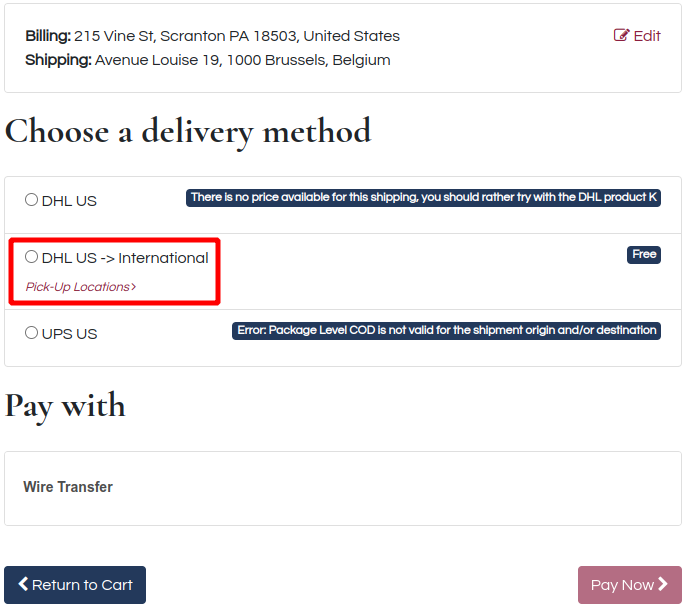
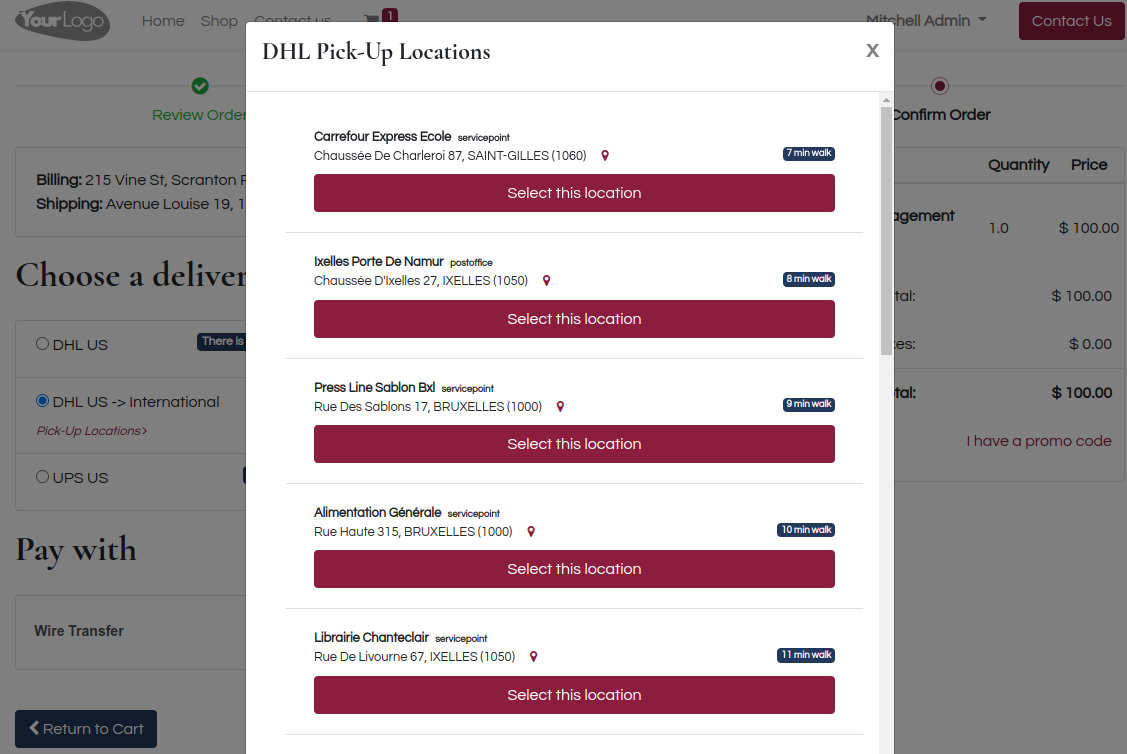
Before this commit, no delivery points were available for any delivery provider. This commits add the possibility for the website user to choose a pickup location for its packages when he is at the `/shop/payment` endpoint. Since there is already a complete endpoint for creating a new address (`/shop/address`), there is no need for a controller. __API CALL__ The api used to retrieve the locations is the `Location Finder - Unified` API and it does need a specific api key that can be claimed https://developer.dhl.com/api-reference/location-finder with a DHL account number. The parameters for the API call are the defaults for `radius` and for `limit`, however I find it convenient to explicitly give them. There are 2 provider types with DHL called Parcel and Express. Basically, if the word 'express' is in the name of the DHL product, it belongs to the Express type, else it is Parcel. __BACKEND ODOO__ When the module is installed, a new page is added to the Delivery DHL carriers. It only has one checkbox to activate or deactivate the DHL location finder. When it is activated, an API Key is required. 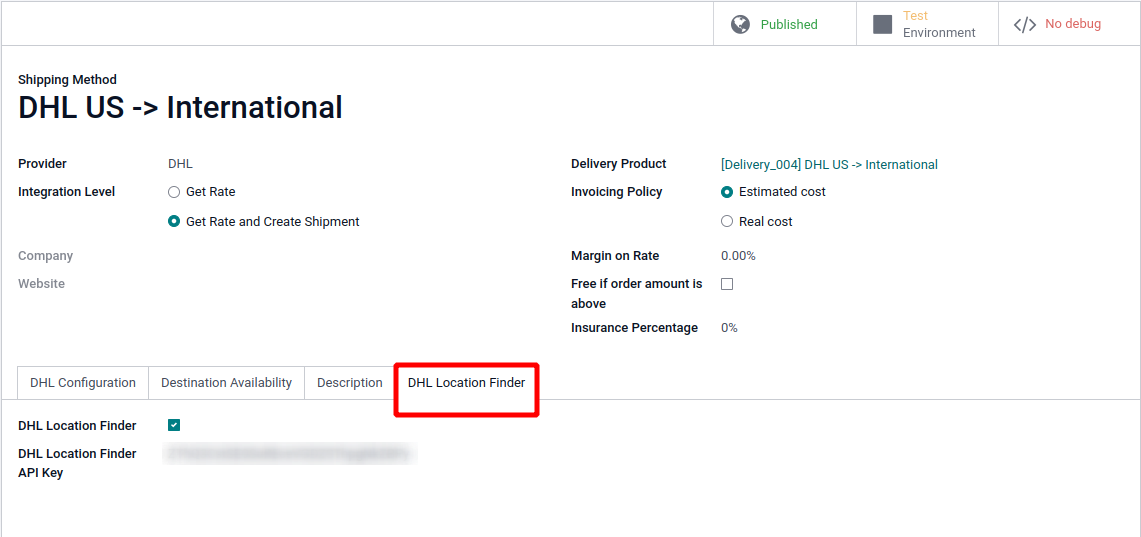 __FRONTEND WEBSITE__ Once on the `/shop/payment`, when the user can choose a delivery method, there is a link under the DHL providers with location finder enabled. Clicking on this link opens up a modal with the available pickup locations. A location can be selected there, and the data of the new address will be sent to the '/shop/address' endpoint, which will update the Shipping Address. There is a map icon next to each pickup location. When clicked, it leads to google map with an itinerary from the current location to the new pickup location. Also, to avoid conversions between meters and and other units of measure, the distance is given in `X min walk` which is the time required in minutes, by foot.