Saturday, March 11, 2023
2 changes · master
Enhancements to existing features
The Mexico electronic invoicing module no longer shows the Archive action on SAT payment method records. This prevents users from clicking an option that would always fail because those official reference records cannot be modified.
Original PR description
…hod model currently when l10n_mx_edi module is installed and from the menu Payment Ways Codes(MX) under Accounting -> Configuration -> Payments, open any record and from the action menu click Archive button, access right exception will be thrown. "You are not allowed to modify 'Payment Method for Mexico from SAT Data' (l10n_mx_edi.payment.method) records. No group currently allows this operation. " removing the archive option from action button 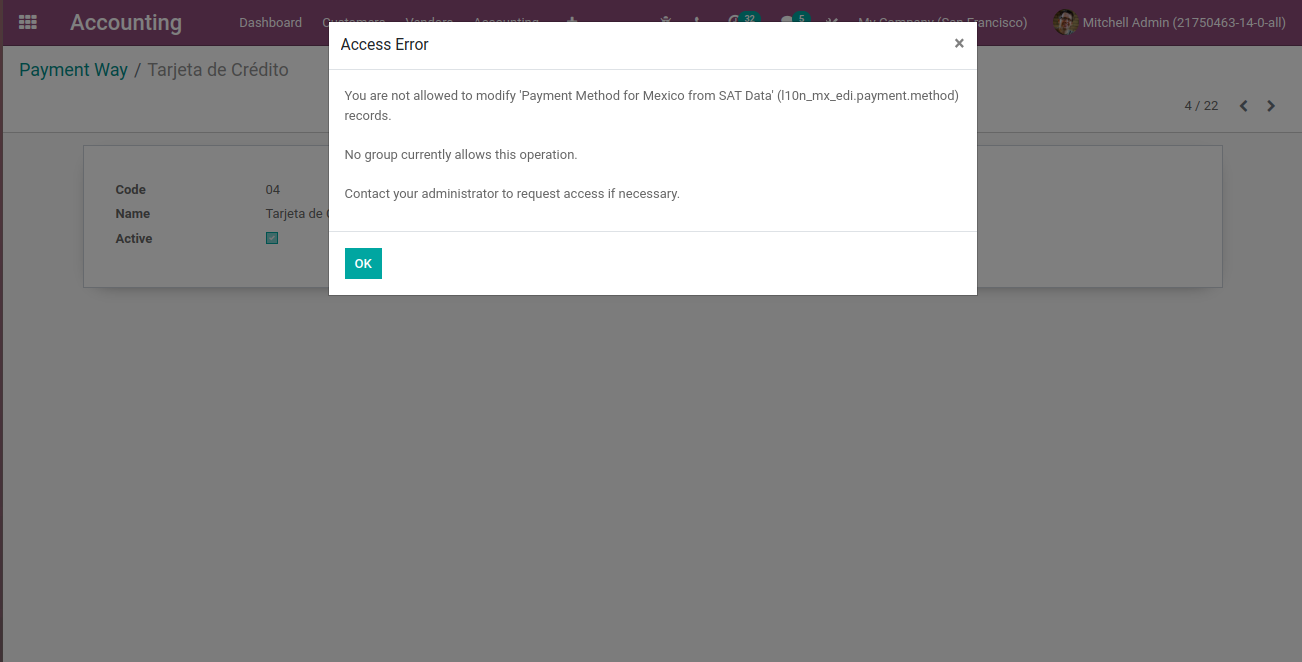
Miscellaneous changes
This reviews [1] which solved the problem in most cases (hopefully) but not in all cases. Animated elements which overflow the screen on the right made an horizontal scrollbar appear on iPhone <= 8 using Safari, even when they were not animating yet. This was due to Safari ignoring the `transform: none` rule on inactive elements, preferring to consider the animation transform. As a fix, we forced no possible overflow of the page when we saw this safari bug on the first animated element. Th
Original PR description
This reviews [1] which solved the problem in most cases (hopefully) but not in all cases. Animated elements which overflow the screen on the right made an horizontal scrollbar appear on iPhone <= 8…
This reviews [1] which solved the problem in most cases (hopefully) but not in all cases. Animated elements which overflow the screen on the right made an horizontal scrollbar appear on iPhone <= 8 using Safari, even when they were not animating yet.

This was due to Safari ignoring the `transform: none` rule on inactive elements, preferring to consider the animation transform. As a fix, we forced no possible overflow of the page when we saw this safari bug on the first animated element.

The problem here... is that this Safari bug does not occur in every situation. For example, if the animated element is inside a column which is marked as hidden in mobile, Safari actually understands the no transform rule. So if the first animated element was in such a situation but another element in the page had the safari bug... the problem was there again.

As a fix, we now check all animated elements for the Safari bug, instead of only the first one. That should do the trick.

This commit also reviews the comment: the problem is not confined to old iPhones. This was reproduced on the latest iPhone with latest iOS and up-to-date Safari.

opw-3204613
opw-3201937
Related to opw-3165651

[1]: https://github.com/odoo/odoo/commit/c1447835786e04f342342540c09e46d1226d5fc0

Forward-Port-Of: odoo/odoo#114981
Forward-Port-Of: odoo/odoo#114829